The Four O'Clock Fade: A Winter Setup Audit for UK Gamers

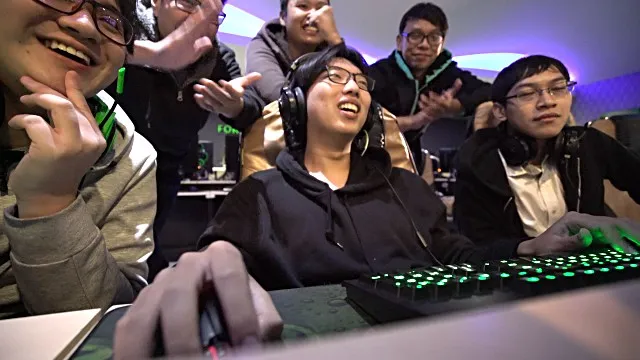
Photo: cosy UK gaming desk setup with warm lamp and monitor at night, via www.naturalhistoryonthenet.com
Dark by four is not a vibe. It is a lighting problem, a heating problem and, eventually, a neck problem. You flick the big light on at 16:10, squint at the monitor, pull your hoodie sleeves over your hands and settle in for a long session. By February your wrist clicks like a kettle and your shoulders have relocated somewhere near your ears. The answer is rarely a £400 chair. It is a quarter of an hour with a critical eye and a few things you already own.
Why the winter setup needs its own MOT
Summer hides a lot. You play with daylight leaking through the curtains, the heating is off, and your posture gets away with murder because you are not hunched against a draught. Winter changes the physics of the room. Lamps create glare. Radiators dry the air. Cold hands make you grip the controller harder. Shared living rooms fill up with coats, drying racks and someone else's Zoom calls. None of this is dramatic, but it all adds up over a five-month stretch of long evenings.
This is not about buying a streaming-grade battle station. It is about removing the small frictions that make a two-hour session feel like a shift on a factory line.
Minute 1-3: Light the room, not just the screen
Start by turning the main light off and looking at your screen from where you actually sit. If the monitor is the brightest thing in the room, your eyes are doing overtime. A lamp to the side of the desk, slightly behind the monitor line, is the cheap fix. Charity-shop lamp plus a warm LED bulb is fine. Avoid placing it so it reflects straight back at you; angle it towards the wall and let the bounce do the work.
In a rented flat, a clip-on lamp or a floor lamp you can move is your friend. No drilling, no landlord emails. If you share the room, a lamp with a shade keeps the light where you need it and stops the whole living room looking like an interrogation.
Minute 4-6: Raise the screen, not your chin
The top third of the monitor should sit around eye level, and the screen should be roughly an arm's length away. Most people are looking down at a laptop or a monitor that is sitting too low on a desk. Stack it on books, a sturdy box or a couple of old game cases. Check it does not wobble. If you are on a laptop, a separate keyboard and mouse are the real upgrade, even if they are basic ones from a drawer.
Do not chase a perfect number. Chase a neutral neck. If you have to nod forward to read the killfeed, the screen is too low. If you are tilting your head back like you are reading a cereal box on a high shelf, it is too high.
Minute 7-9: Wrists and elbows
Look at your forearms. They should be roughly parallel to the floor, with elbows around 90 degrees and wrists straight rather than bent up or down. A rolled towel, a folded hoodie or a cheap wrist rest can support the heel of your hand without turning your desk into a medical bay. Move your mouse closer. Reaching across the desk for six hours is a quiet way to make your shoulder hate you.
If your desk edge is sharp, that is the enemy. A folded microfibre cloth under your wrists is not glamorous, but it works. Keep the controller in your lap or on a cushion rather than letting your elbows hover for entire matches.
Minute 10-12: Chair and back support
You do not need a racing chair with a logo stitched into the headrest. You need your feet flat, your knees roughly level with your hips, and a small gap behind your knees so the seat is not cutting into you. A cushion behind your lower back can do a lot. A folded blanket on the seat can stop the plastic edge from digging in during a long raid.
If you play from the sofa, a lap desk or a firm cushion under the laptop is better than balancing everything on your knees. If you play from a shared room, keep a basket nearby so the setup can be packed away without a fight. Small, repeatable actions beat heroic tidying once a month.
Minute 13-15: Heat, air and the draught problem
Winter gaming is often too hot or too cold, rarely just right. Sitting next to a radiator blasting away can make you drowsy and dry-eyed; sitting in a draught makes your hands stiff. Aim for a stable room temperature rather than a tropical one. Open a window for a couple of minutes to refresh the air, especially in a small flat. Keep a glass of water nearby. Tea is part of the culture, but it is not a hydration plan.
If your hands get cold, fingerless gloves or a hoodie with the sleeves pushed up can help without turning your grip into a claw. Do not sit under a blanket with the controller trapped underneath; you will overheat and then freeze when you shift.
The shared-living-room clause
Rented flats and shared houses rarely let you screw monitor arms into the wall or claim a spare room as a battle station. Work with what you have. Use removable cable clips, a lap tray, a folding side table and a lamp you can tuck beside the sofa. Label your cables if housemates keep unplugging things. Ask before you rearrange the furniture. A five-minute conversation is cheaper than a passive-aggressive note on the fridge.
Your 15-minute kit list
You probably already own most of this: two sturdy books, a rolled towel, a cushion, a lamp, a warm bulb, a glass of water, a timer. Add a cheap cable tidy if the floor is a trip hazard. The point is not to buy your way out of discomfort. The point is to notice the small things that make long evenings feel longer.
Run the audit once, then set a reminder for a week's time. Note what still aches. Adjust one thing. If pain persists or gets worse, speak to a GP rather than diagnosing yourself via a forum thread. Your setup should support the session, not become another boss fight.